In short
- A server failure is rarely a single fault: disks, controller, file system and applications are separate layers.
- The first minutes decide the outcome: no rebuild, no initialisation, no reinstall on the data disks.
- Hardware RAID can be rebuilt virtually from the disks alone, without the original controller.
- Databases (SQL Server, Exchange, Active Directory) are recovered as files first, then repaired on a copy.
How a server stores data
A business server stacks several layers, and each one can fail on its own. At the bottom, the physical disks (SAS or SATA hard drives, SAS or NVMe SSDs). Above them, a RAID controller or a software RAID that combines the disks into one or more logical volumes. On each volume, a file system (NTFS or ReFS on Windows Server, ext4 or XFS on Linux, VMFS on VMware). Finally, the applications: file shares, SQL Server databases, Exchange mailboxes, Active Directory, accounting software, virtual machines.
Knowing which layer has failed is the first step of any recovery. A server that no longer boots after a Windows update has a system problem, not a disk problem. A server whose virtual disk shows "Failed" in the controller has a RAID problem. A database that refuses to mount has an application problem. The response is different in each case.
The RAID controllers we see most often
- Dell PERC (H330, H730, H740, H755): configuration stored in the disk metadata (DDF format), managed through iDRAC or the controller BIOS.
- HPE Smart Array (P408i, P440ar, P816i): proprietary metadata, managed through iLO or the Smart Storage Administrator.
- Broadcom/LSI MegaRAID and Adaptec: found in many white-box and Lenovo servers.
- Software RAID: Windows Storage Spaces, Linux mdadm, ZFS on TrueNAS and Proxmox.
A battery or a supercapacitor protects the write cache of most controllers. If it fails during a power cut, data that the server believed written can be lost, and the controller may mark a virtual disk as inconsistent. See Power outages and surges: protecting your drives and NAS.
The most common server failures
Several disks failed in a RAID 5 or RAID 6
The classic scenario: a disk fails unnoticed, the array runs degraded for weeks, then a second disk fails during the night or during the rebuild. The volume goes offline. In most cases, the second disk is only partly unreadable, and the data is recoverable. See RAID 5 rebuild failed: what happened and what to do now.
Dead controller or lost configuration
A controller that no longer starts, a firmware update that goes wrong, a configuration cleared by mistake ("Clear configuration", "Reset to factory defaults"): the disks are intact, but the description of the array is gone. Importing the disks into another controller of the same model often works, but importing into a different model can initialise them.
File system corruption
After a crash, a power cut or a failed update, NTFS or ReFS can become unreadable: the volume shows as RAW, CHKDSK runs for hours, or folders disappear. Running CHKDSK on a damaged volume can delete what it cannot fix.
Ransomware
On servers, ransomware encrypts shared folders, databases and virtual machines, and tries to delete shadow copies and backups first. See Ransomware attack: what to do in the first hours.
Databases that no longer mount
SQL Server databases in "Recovery Pending" or "Suspect" state, an Exchange database in "Dirty Shutdown", a damaged Active Directory database (NTDS.dit): the files are usually still on the disk, but their internal structure needs repair.
The first minutes: what to do and what to avoid
- Do not reboot again and again: each boot can trigger a rebuild, a consistency check or a write to the disks.
- Do not import a "foreign configuration" or create a new virtual disk on the controller without a copy of every disk.
- Do not reinstall the operating system on the disks that hold the data.
- Do not run CHKDSK, fsck or a database repair tool (DBCC CHECKDB with REPAIR_ALLOW_DATA_LOSS, eseutil /p) on the original volume.
- Write down the slot of each disk, export the controller logs (iDRAC, iLO) and take screenshots of the error messages.
- If ransomware is involved, isolate the server from the network without switching it off, and keep the ransom note.
How a server is recovered in the lab
1. Imaging the disks
Every disk is cloned with hardware imagers that support SAS and SATA, including disks formatted with 520-byte sectors or protection information. A disk with a mechanical fault goes through the cleanroom first. All the work that follows is done on the copies.
2. Rebuilding the array virtually
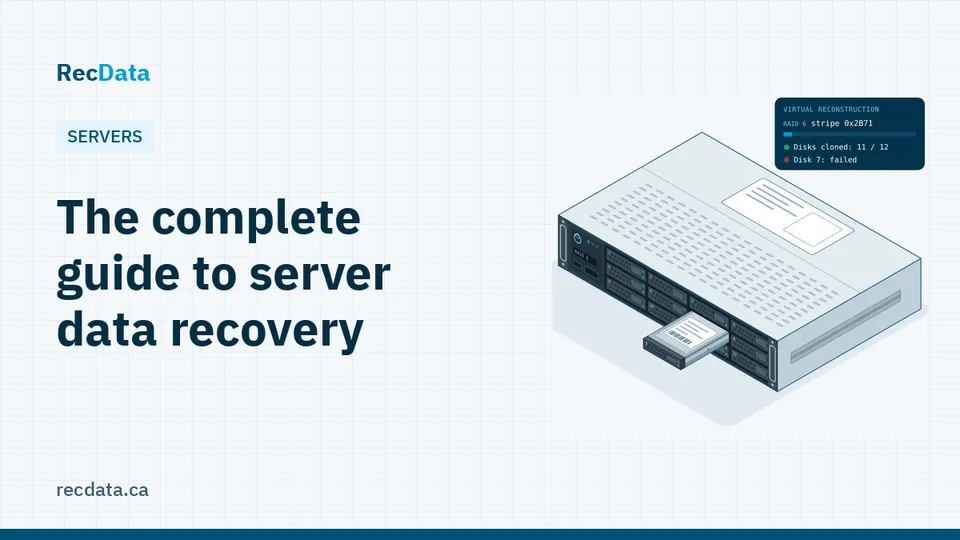
The controller metadata (DDF for Dell PERC and many LSI controllers, proprietary formats for HPE) is read from the copies. When it is missing or damaged, the parameters are worked out from the data itself: disk order, stripe size, parity rotation and offset. The array is then assembled in software, without the original controller.
3. File system
The volume is analysed and, if necessary, repaired on a copy: NTFS master file table, ReFS metadata, ext4 or XFS journals, VMFS datastores. Virtual machines are extracted as complete virtual disks (VMDK, VHDX), then opened in turn. See The complete guide to virtual machine data recovery.
4. Applications
Databases are first extracted as files (MDF, LDF, EDB, NTDS.dit), checked, then repaired on a copy. For SQL Server, the result is a database you can attach again; for Exchange, mailboxes exported as PST files when the database cannot be mounted.
Downtime, priorities and cost
For a business, the question is often "what do we need first?". We can recover the most urgent data first (the accounting database, the shared folders of one department) and the rest afterwards. The Emergency level ($199, diagnosis within 24 to 48 hours) moves your server to the front of the queue. Server and RAID recoveries start at $525 before taxes; the quote is fixed after the free diagnosis, and you pay nothing if nothing is recovered. Courier pickup is free anywhere in Canada, from the lab in Hamilton.
Confidentiality and compliance
Business servers hold personal information. The disks stay in our lab in Canada, working copies are wiped after delivery, and a confidentiality agreement can be signed before the work starts. Under PIPEDA, and the Quebec Act respecting the protection of personal information in the private sector (Law 25), a data loss that creates a risk of serious harm may have to be reported: see the guidance of the Office of the Privacy Commissioner of Canada.
Preventing the next outage
- Monitor the controller (iDRAC, iLO, Storage Spaces alerts) and replace a failed disk the same day.
- Check the cache battery and keep controller and disk firmware up to date, after reading the release notes.
- Use RAID 6 or RAID 10 for large disks, and keep a hot spare.
- Back up following the 3-2-1 rule, with at least one offline or immutable copy, and test restores.
- Document the configuration: RAID levels, disk order, stripe sizes, virtual disk layout.
Going further
- The complete guide to RAID
- The complete guide to NAS: how they fail and how to protect them
- The complete guide to virtual machine data recovery
- Reassembling a Linux mdadm RAID without making it worse
Frequently asked questions
Can a server be recovered without its RAID controller?
Yes. The disks are cloned and the array is rebuilt in software from their metadata or from the data itself. The original controller is not needed.
Should I import the foreign configuration offered by the controller?
Not before every disk has been cloned. Importing into a different controller model, or with a stale disk, can overwrite the metadata or start a wrong rebuild.
Can you recover only the most important data first?
Yes. For a business, we can extract the most urgent databases or folders first and deliver the rest afterwards.
Is a SQL Server database in Suspect state recoverable?
In most cases, yes. The MDF and LDF files are extracted from the disks, checked, then repaired on a copy, without the data loss of an automatic repair.
How much does a server recovery cost?
Server and RAID recoveries start at $525 before taxes. The diagnosis is free and the quote is fixed before any work; the Emergency level ($199) gives a diagnosis within 24 to 48 hours.
Is your data important?
Do not try anything that could make the fault worse. The diagnosis is free and you get a fixed quote before any work starts.